
BSS SCarousels
Created on: Mar 02, 2026
PRE-REQUISITES
-
The plugin requires you to install the BSS Core plugin first.
INSTALLATION
- Go to the Order Details Page and Download plugin package
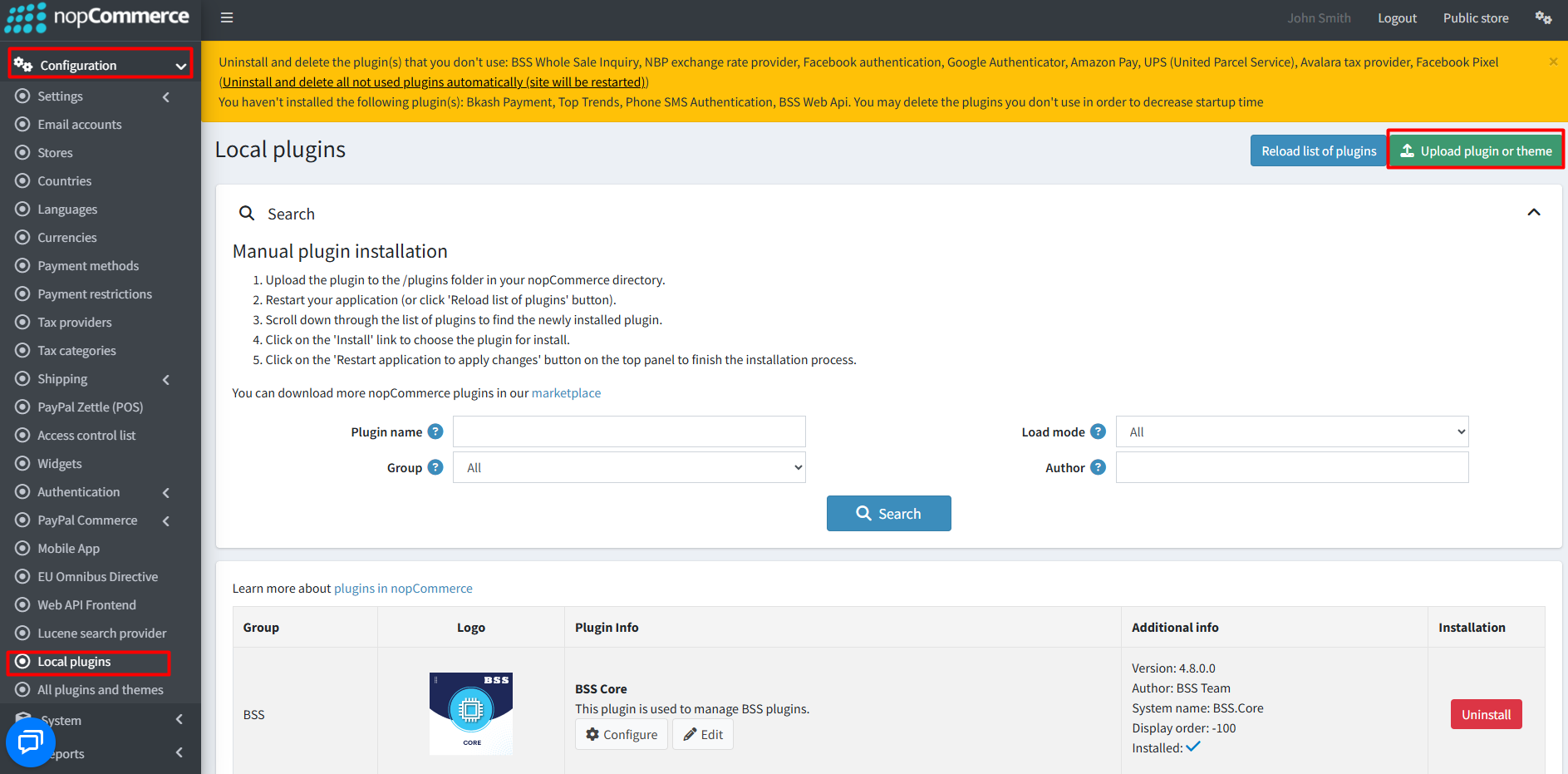
- Go to Administration → Configuration → Local plugins
- Within the bundle, you get all the required files, including BSS.Core
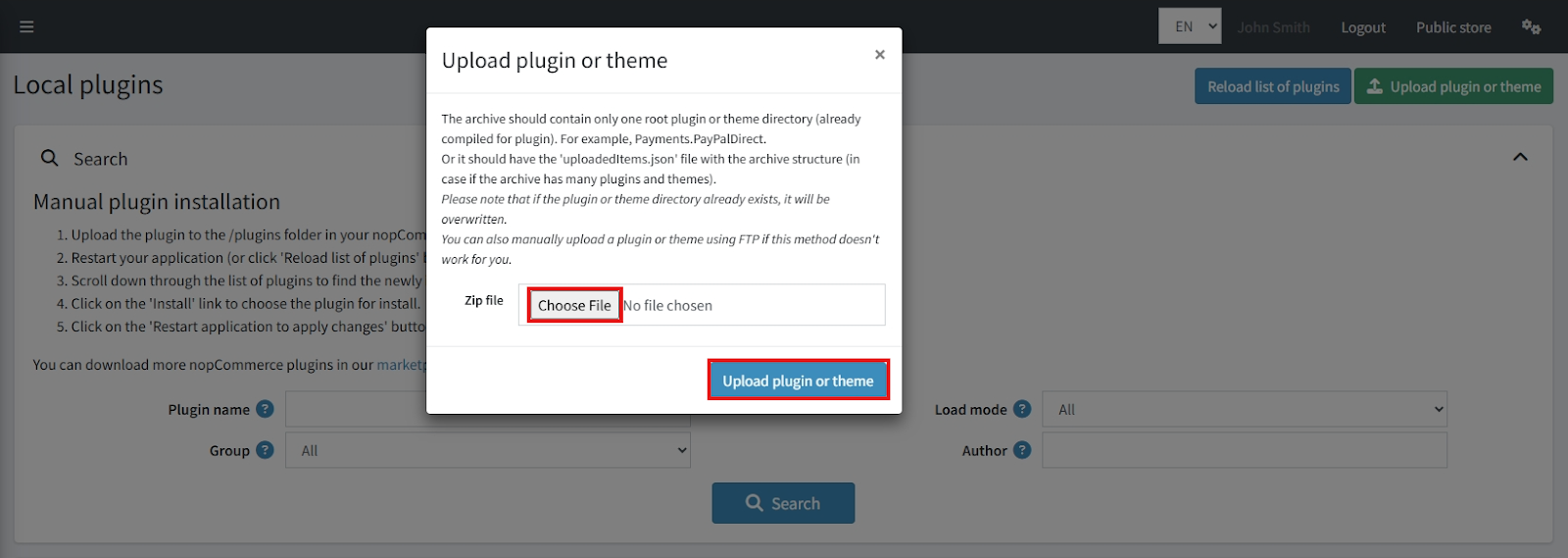
- Upload the zip files using the 'Upload plugin or theme' button
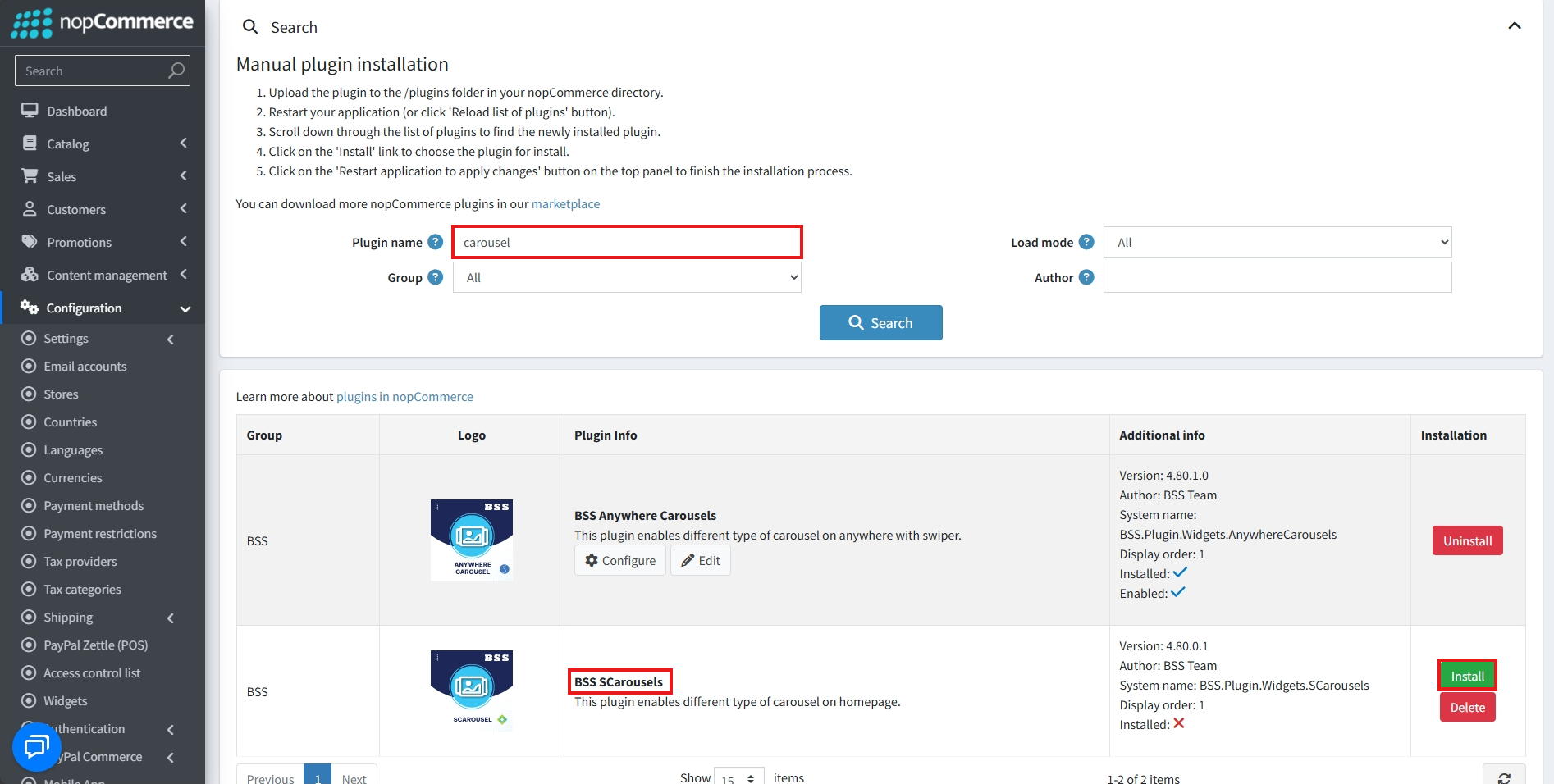
- After uploading, install the ‘BSS Core’ Plugin and ‘BSS SCarousels’.
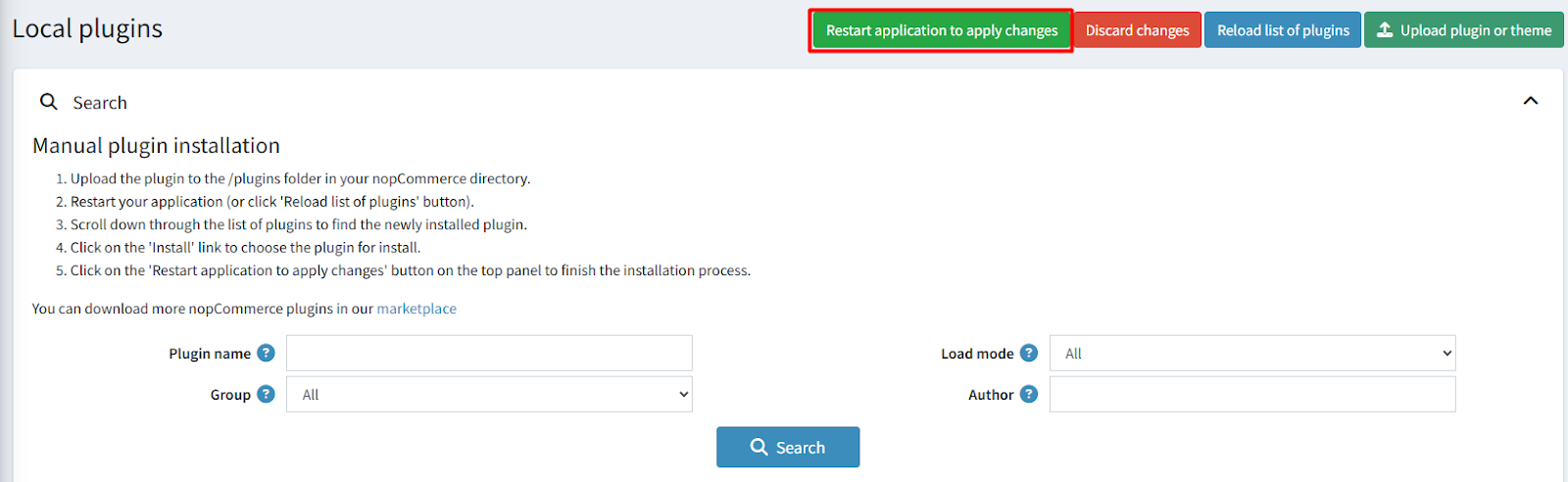
- To make the plugins functional, restart the application.
Recommendation: Go to > App Settings. If you find JavaScript bundling and minification, CSS bundling and minification are checked then unchecked this two options and disable it.

CONFIGURE
-
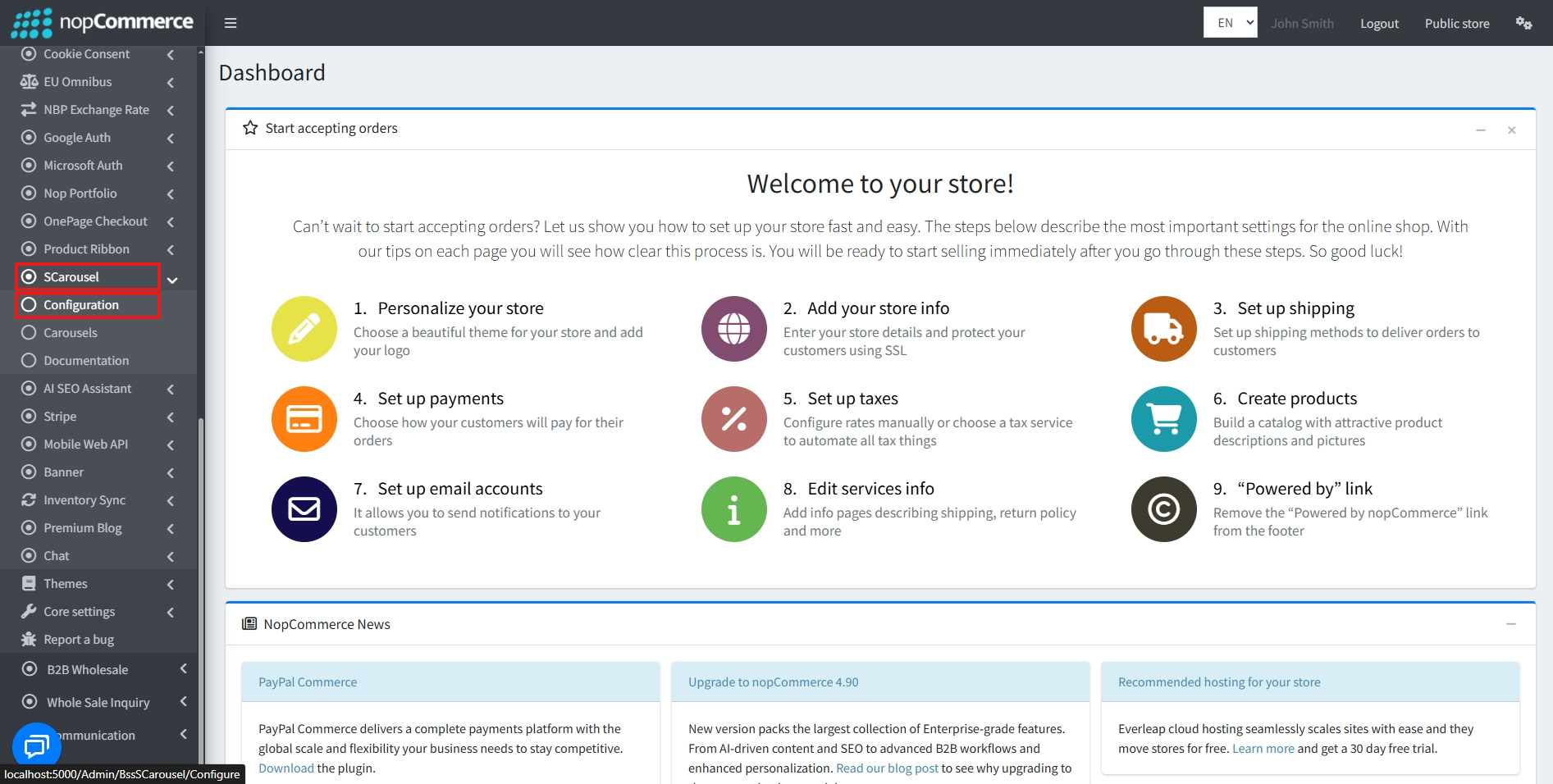
Go to Admin → BSS → Plugins → SCarousels → Configuration
-
Enter the License string and save it. Then clear cache.

-
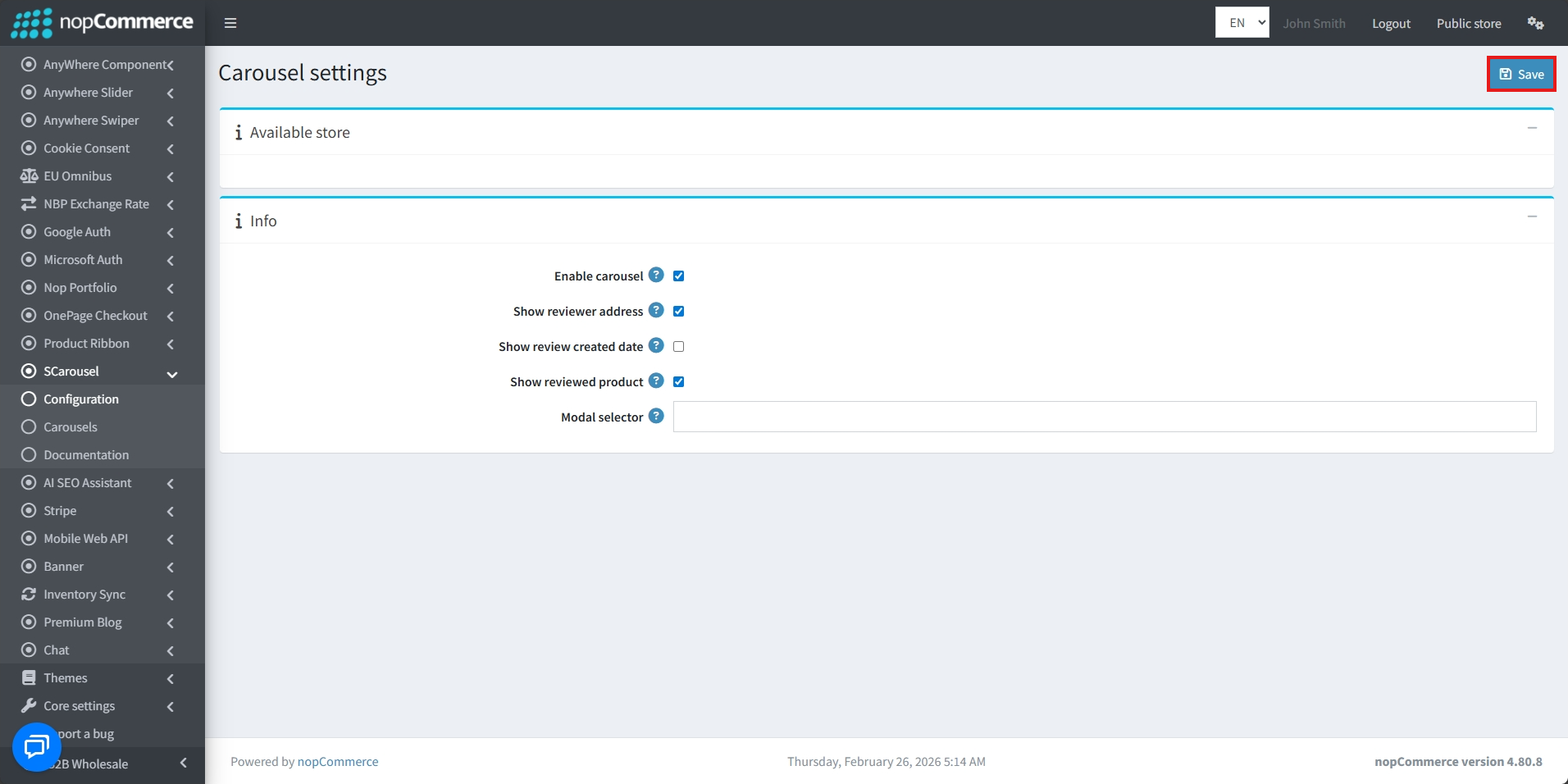
Then again go to BSS → Plugins → SCarousels → Configuration to set the configuration.
-
Check the Enable carousel box to enable carousels
-
Enable Show reviewer address to display the address of the reviewer
-
Enable Show review created date to display the date the review was created on
-
Enable Show reviewed product to display the reviewed product
-
Finally, click the Save button after setting all the conditions
CAROUSELS
-
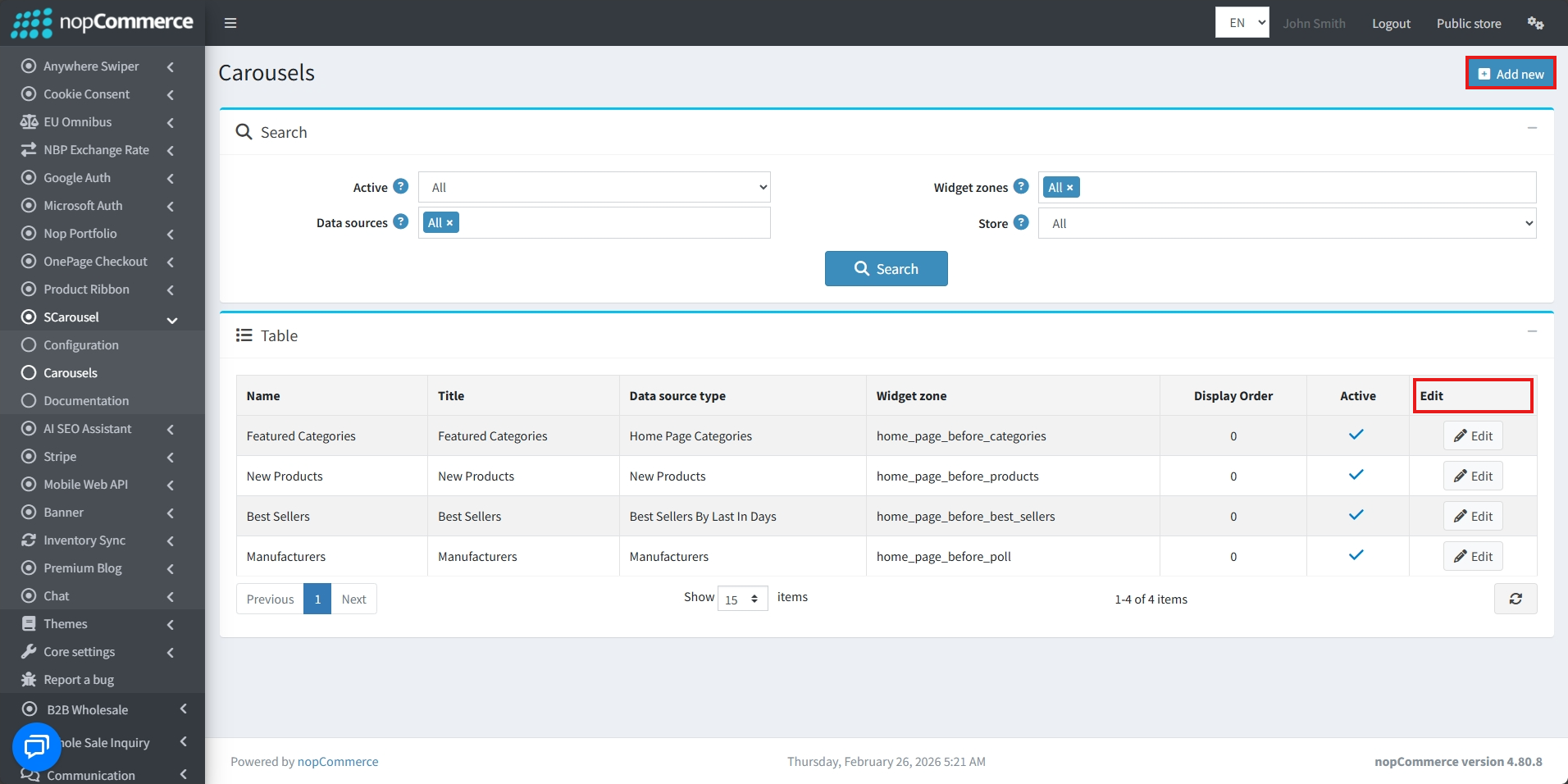
Go to BSS → Plugins → SCarousels → Carousels
-
The list of existing carousels and their details will be displayed
-
Carousels can be edited by clicking on the Edit button
-
Click on Add new to create a new Carousel
Info
-
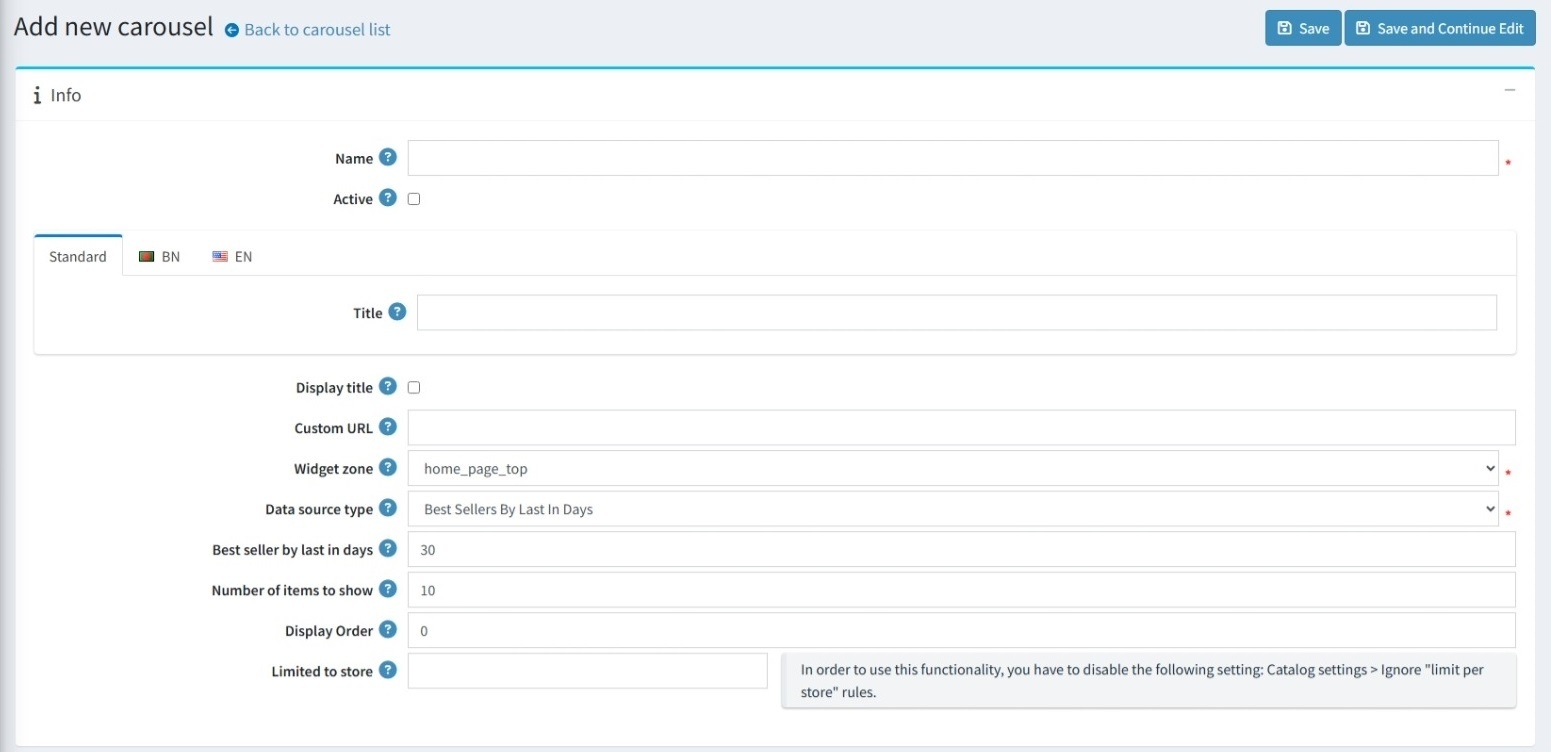
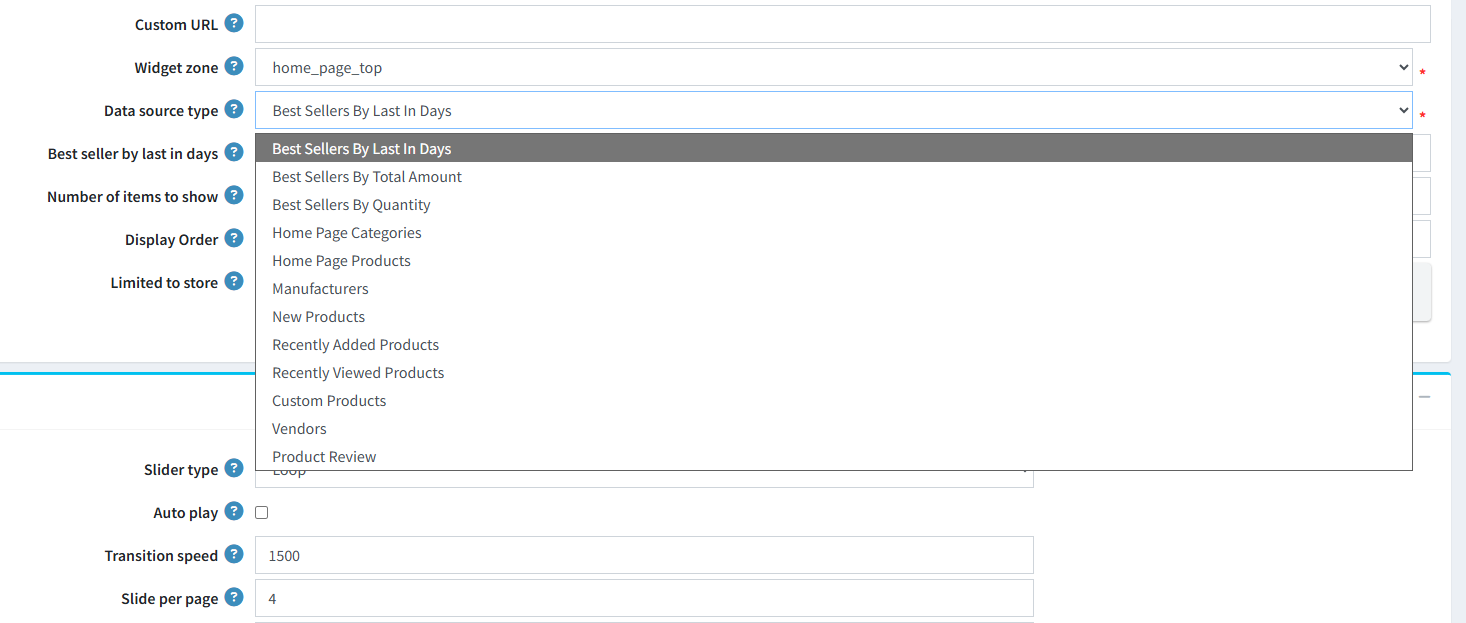
Set the Name of the carousel.
-
Check the Active box to display the carousel.
-
Set the Title of the carousel.
-
Enable Display Title to show the carousel’s title on the public site.
-
Provide a Custom URL to redirect users when they click on the carousel.
-
Set the WidgetZone to determine the carousel’s position on the website (e.g., ‘home_page_top,’ ‘home_page_bottom,’ ‘productdetails_bottom’).
-
Select the Data Source Type to define what content the carousel will display:
-
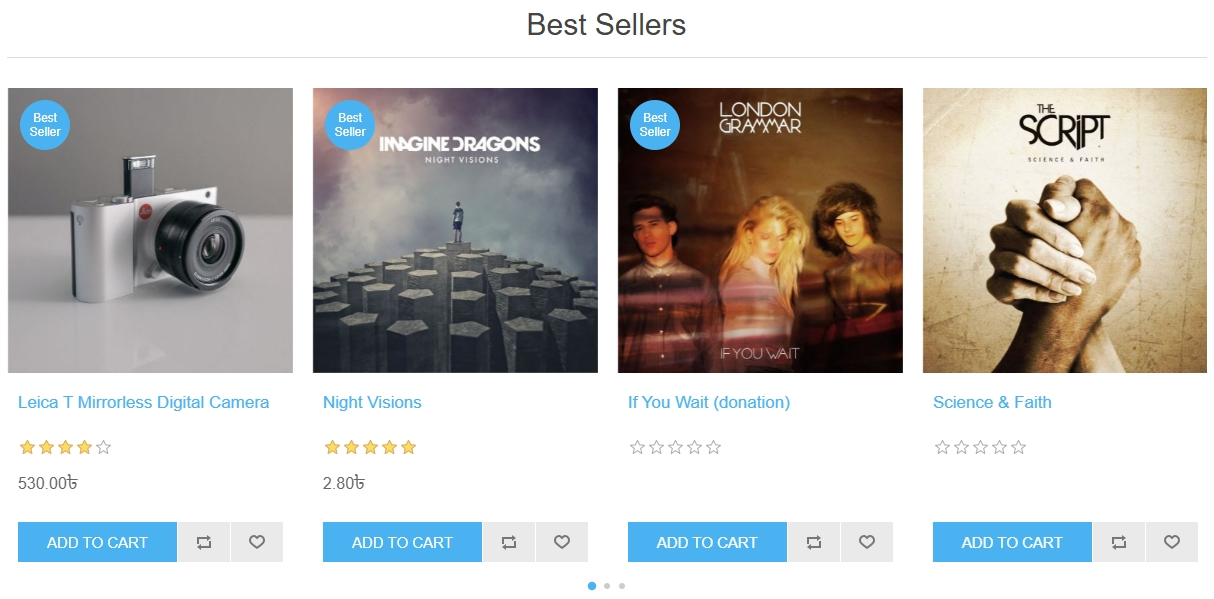
Best Sellers (By Last In Days, Total Amount, or Quantity): Populates the carousel with top-performing products based on timeframe, revenue, or unit sales volume.
-
Home Page Categories and Products: Displays items or categories specifically designated for home page visibility.
-
Manufacturers and Vendors: Creates a slider featuring different brands or sellers available in your store.
-
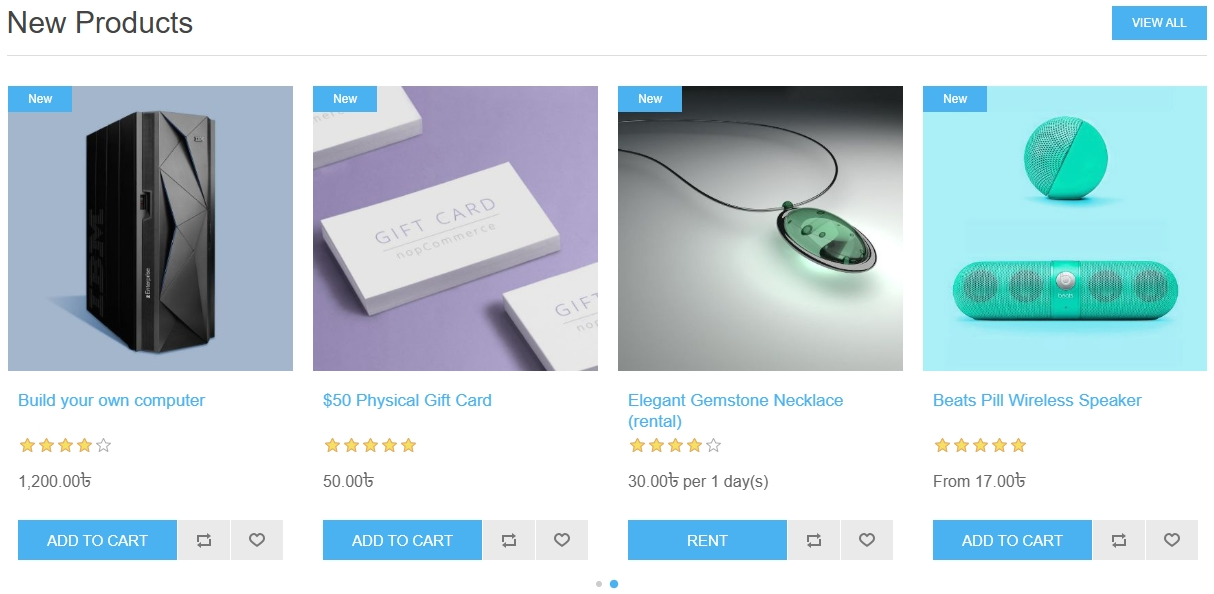
New and Recently Added Products: Highlights the latest additions to your product catalog.
-
Recently Viewed Products: Shows customers items they have recently looked at for a personalized experience.
-
Custom Products: Allows manual selection of specific products to promote.
-
Product Review: Showcases products based on customer feedback and ratings.
-
-
Set the Number of Items to Show to determine how many products appear in the carousel.
-
Define the Display Order to control the sequence if multiple carousels are assigned to the same widget zone.
-
Use Limited to Store to restrict carousel visibility to specific stores in a multi-store setup.
Properties
-
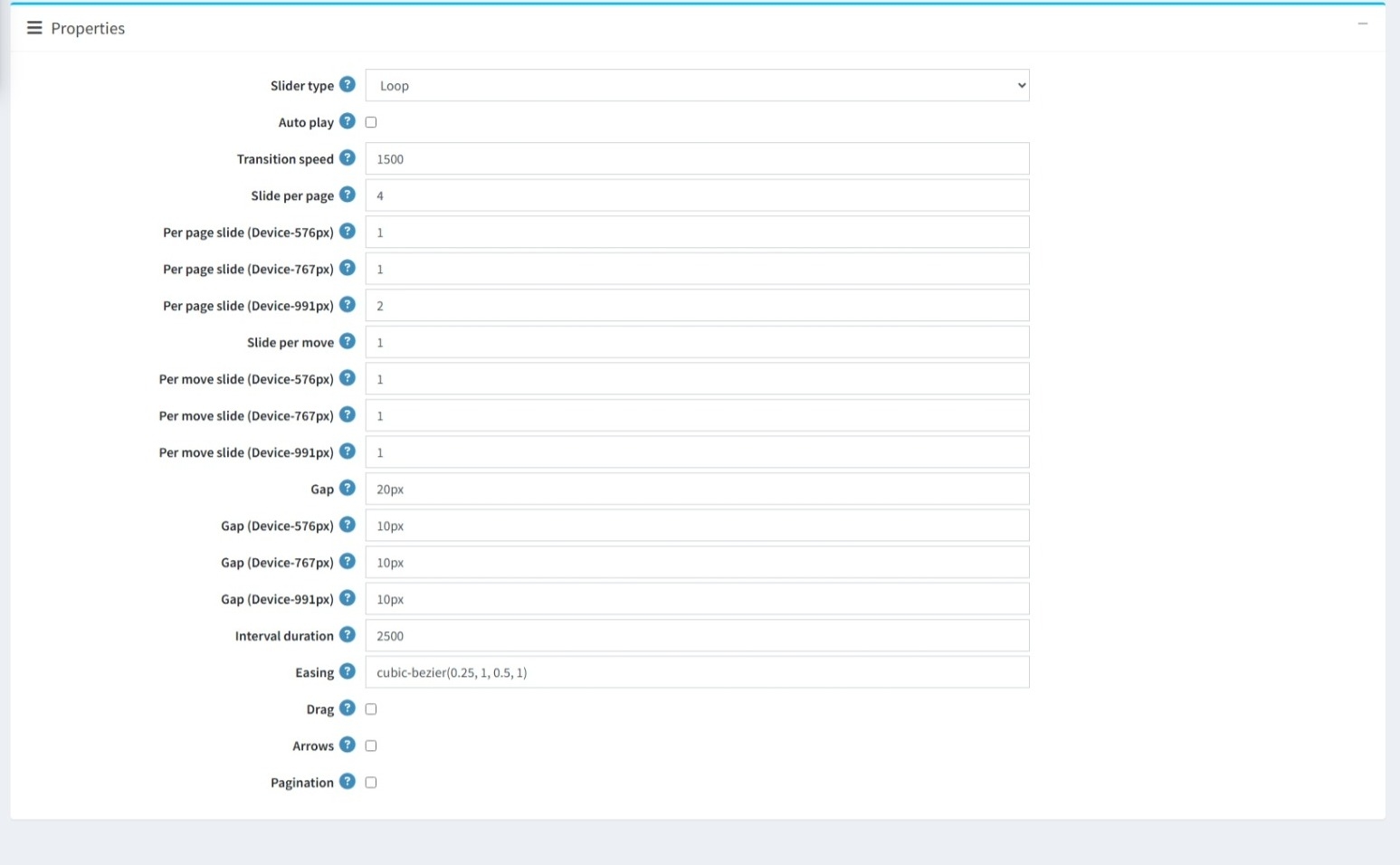
Set the Slider Type to define the animation style of the carousel.
-
Enable Auto Play to let the carousel cycle through items automatically.
-
Adjust the Transition Speed to set the duration of slide animations in milliseconds.
-
Configure Slides per Page to determine how many items are visible at once, with options for different responsive breakpoints.
-
Set Slides per Move to control how many items shift during a single transition, customizable at responsive breakpoints.
-
Define the Gap to set spacing between carousel items, adjustable for different breakpoints.
-
Specify the Interval Duration (in milliseconds) to control how long the slider stays on a single view before moving automatically.
-
Choose an Easing Function (e.g., cubic-bezier) to customize the timing and smoothness of transitions.
-
Enable or disable Drag to allow users to manually click and drag (or swipe on touch devices) the carousel.
-
Show Navigation Arrows on the sides of the carousel for easier navigation.
-
Display Pagination Dots at the bottom of the carousel to help users move between slides.
PUBLIC VIEW
FEATURES
-
It is easy to install and configure from the admin interface.
-
It supports multi-store visibility through the ‘Limited to store’ setting.
-
Supports multiple data source types, with customizable item counts and timeframes.
-
Supports flexible placement across the site using a wide range of selectable widget zones.
-
Supports fully responsive design with specific settings at 576px, 767px, and 991px breakpoints.
-
Supports advanced animation controls including slider types, transition speeds, and custom easing functions.
-
Supports enable/disable for Auto play, Drag functionality, Arrows, and Pagination.
-
Allows the option to display or hide the carousel title on the storefront.
-
Supports custom URLs to redirect users when they interact with the carousel section.


